

PGST
Alarm · Camera · Sensor · Siren
ALARM SYSTEMS
CAMERAS
SENSORS & ACCESSORIES


SIRENS

By Thomas Rivière, Product Analyst — Last updated: 7 November 2026
The PGST PG107 alarm panel moves up the range with a 4.3-inch touchscreen, alerts by call, SMS and app, and 100 slots for its wireless accessories.
PGST PG107: an advanced alarm panel
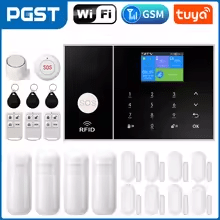
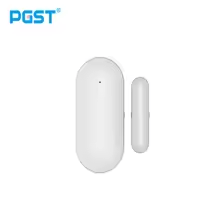
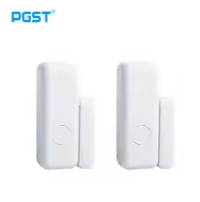
The PGST PG107 panel is designed for installations with many openings to protect. It controls the wireless accessories in the PGST range: remote controls, detectors, RFID tags, a wireless siren and an SOS button.
It can be controlled from its 4.3-inch touchscreen, by remote control, RFID tag, SMS or from the mobile app: arming, disarming, real-time alerts, and alarm and arming logs.
PGST PG107: advanced features
The PG107 offers detailed settings: zone types (full arm, part arm, 24 hours, doorbell), entry and exit delays, siren duration, scheduled arming and disarming, and up to 5 alert numbers. It alerts by call, SMS and app notification.
The built-in backup battery keeps protection running during a mains power cut. The panel automatically informs the user if the main power supply is interrupted.
PGST PG107: installation and setup
Install the panel in a central, protected location. Pair the accessories from the “Parts” menu on the screen, set the zone types and alert numbers, then link the panel to the mobile app for remote control.
5 key points about the PGST PG107 alarm panel
- 100 accessories and 4 wired zones: remote controls, detectors and RFID tags.
- Advanced configuration: zone types, delays, scheduled arming.
- Multi-channel alerts: call, SMS and mobile app notification.
- Backup battery: continuous protection even during a mains power cut.
- 4.3-inch touchscreen and app: control on site or remotely.
PGST PG107 manual in English: the essentials
Here are the basic settings of the PG107 panel, in the order of setup. The menu can be shown in English (Main menu → System Setting → Language): alert SMS then also switch to English.
- Getting started: insert a micro-SIM card, plug in the 5 V USB adapter, then flip the switch to ON: the screen displays “Welcome”.
- Alert numbers: Main menu → Phone → 1st number. Enter the number (18 digits maximum), enable calls and/or SMS, then confirm. Up to 5 numbers.
- Remote control: Menu → Parts → Remote Controller → “+”. During the 20-second countdown, press a button on the remote control: “Learning OK” confirms it has been added.
- Wireless detector: Menu → Parts → Detectors → “+”. Choose the name and zone type (part arm, full arm, 24 hours, closed or doorbell), confirm, then trigger the detector within the 20 seconds.
- RFID tag: Menu → Parts → RFID → Add, then present the tag in front of the RFID area on the front panel.
- App: scan the QR code in the manual to install the app, then follow its instructions to connect the panel to Wi-Fi.
Default codes: system password 6666, user password 1234. Default delays: 40 seconds on exit, 30 seconds on entry, siren 3 minutes.
SMS commands to send to the number of the panel’s SIM card: 1234#1 arms, 1234#3 part-arms, 1234#2 disarms. Reset: Main menu → System Setting → Initialization (not possible while the keypad is locked); the SMS *6666*43* restores factory settings while keeping paired accessories.
FAQ — PGST PG107 alarm panel
Where can I find the PGST PG107 manual in English?
The essential steps are summarised above on this page: getting started, alert numbers, pairing remote controls, detectors and tags, and the app. The panel’s menu can be shown in English. Default codes: 6666 (system) and 1234 (user).
Can the PGST PG107 handle several users?
The PG107 panel has two password levels: a system password (6666 by default) for settings and a user password (1234 by default) for everyday use. Multiple RFID tags and remote controls let each member of the household arm and disarm without a code.
Can different zones be programmed according to the time of day?
Yes, for automatic arming and disarming: Main menu → Clock → scheduled arming or scheduled disarming, with each schedule enabled or disabled individually. Each detector is also given a zone type that determines whether it stays active in part-arm mode.
Is the PG107 compatible with PGST cameras?
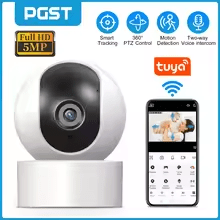
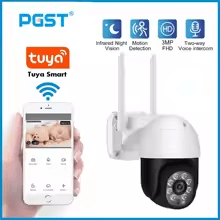
The PG107 pairs wireless accessories: remote controls, detectors, RFID tags, wireless siren and alarm smart plugs. Cameras do not pair with the panel.
What is the wireless range of the PG107 panel?
Wireless range depends on the environment (walls, obstacles). In open space, the range is significantly greater than indoors. Positioning tests are recommended during installation.
More from the PGST range
See also: PGST PG106 alarm panel · PGST PG108 alarm panel · PGST indoor camera · PGST outdoor siren
What sets the PG107 apart from the PG106?
The PG107 stands out with its 4.3-inch capacitive touchscreen, 100 accessory slots, 4 wired zones, recording of a 20-second voice message and SMS control, in addition to the app.
How many sirens can the PG107 manage at the same time?
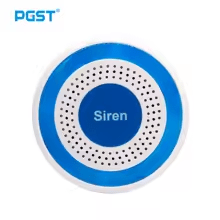
In addition to the panel’s built-in alarm sound, an external wireless siren can be paired via Menu → Parts → Siren Learn: hold the siren’s SET button until it beeps twice, then confirm on the screen. The siren duration is set in the delay settings (3 minutes by default).
Does the PG107 have a built-in screen or keypad?
Yes: the PG107 has a 4.3-inch IPS capacitive touchscreen, an SOS button and an RFID tag reading area on the front. All settings are made on the screen; the app is used for remote control.
PGST PG107 panel: advanced features and high capacity
The PG107 panel sits in the upper-middle of the PGST range. It is aimed at houses with many openings to protect and at small premises, thanks to its 100 accessory slots and 4 wired zones.
Compatible with PGST wireless accessories, the PG107 combines a touchscreen, SMS control, an app, scheduled arming and recording of a voice alert message.