

PGST
Alarm · Camera · Sensor · Siren
ALARM SYSTEMS
CAMERAS
SENSORS & ACCESSORIES


SIRENS

By Thomas Rivière, Product Analyst — Last updated: 7 November 2026
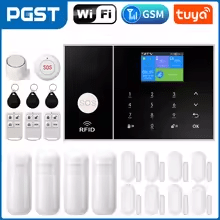
The PGST PG106 alarm panel offers versatile wireless protection: a 4.3-inch touchscreen, full or part arming, and alerts by SMS, call and app.
PGST PG106: a versatile alarm panel
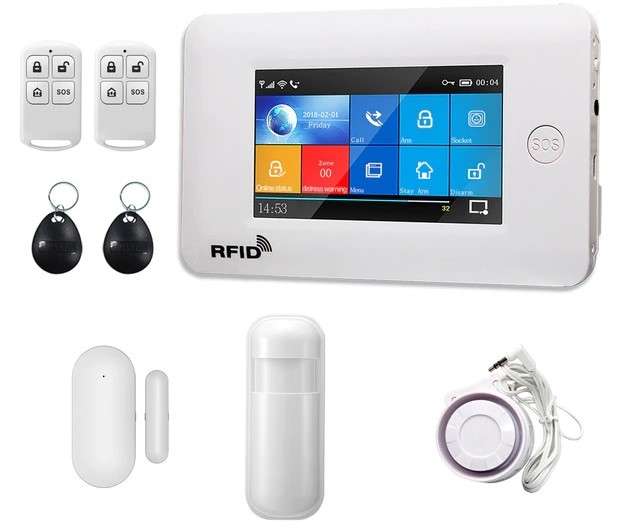
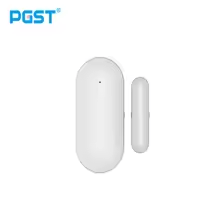
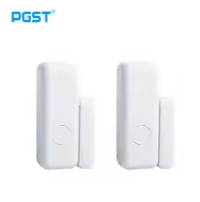
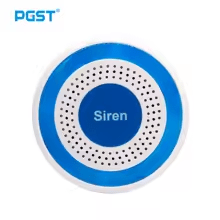
The PGST PG106 panel sits above the entry-level PG103. It can be operated from its 4.3-inch colour touchscreen, by remote control, RFID tag, SMS or from the mobile app, and it controls PGST wireless accessories: remote controls, detectors, RFID tags, a wireless siren and smart plugs.
When an alarm goes off, it sounds the audible alert, sends an SMS to and calls up to 5 numbers, and forwards the alert to the app if it is connected to Wi-Fi.
PGST PG106: features and protection modes
The PG106 offers three modes: full arm, part arm and disarm. In part-arm mode, only the detectors set for this mode, such as those on doors and windows, stay active while you are at home. Each detector is given a zone type: part arm, full arm, 24 hours (SOS button, smoke, gas, CO, water leak), closed or doorbell.
The panel also reports mains power cuts, a low backup battery, removal from its bracket, and doors or windows left open when arming. Its 1,000 mAh lithium backup battery takes over during a power cut.
PGST PG106: installation
Place the panel in a central, protected location in your home. Then pair each accessory from the “Parts” menu on the screen: no wiring is needed between devices.
5 key points about the PGST PG106 alarm panel
- 4.3-inch colour touchscreen: settings and control on site.
- Three modes: full arm, part arm, disarm.
- Multi-channel alerts: SMS and calls to 5 numbers, app notification.
- 1,000 mAh backup battery: protection continues during a mains power cut.
- Smart plugs: controlled by the panel or the app, with a timer.
PGST PG106 manual in English: the essentials
Here are the basic settings of the PG106 panel, in the order of setup. The menu can be shown in English (System Setting → Language): alert SMS then also switch to English.
- Getting started: insert a micro-SIM card (a click confirms it is in place), plug in the 5 V USB adapter, then press the On/Off button: “Welcome” is displayed. To switch off, hold the button for 3 seconds.
- Alert numbers: Main menu → Phone number management → 1st phone. Enter the number (18 digits maximum), then enable calls and/or SMS. Up to 5 numbers.
- Remote control: Main menu → Parts → Remote Controller, then “+”. During the 20 seconds shown, press a button on the remote control until “Learning OK” appears.
- Wireless detector: Main menu → Parts → Detectors → “+”. Choose the name, the zone type and an unused zone code, confirm, then trigger the detector within the 20 seconds.
- RFID tag: Main menu → Parts → RFID card, then hold the tag near the bottom right-hand corner of the panel.
- App: connect the panel to Wi-Fi with the Airlink function in the Wi-Fi menu, following the instructions in the app.
Default codes: system password 6666, user password 1234. Default delays: 40 seconds on both exit and entry, siren 3 minutes.
SMS commands to send to the number of the panel’s SIM card: 1234#1 arms, 1234#3 part-arms, 1234#2 disarms. Reset: press the On/Off button five times (not possible while the screen is locked); the SMS *6666*43* restores factory settings while keeping paired accessories.
FAQ — PGST PG106 alarm panel
Where can I find the PGST PG106 manual in English?
The essential steps are summarised above on this page: getting started, alert numbers, pairing remote controls, detectors and tags, and the app. The panel’s menu can be shown in English. Default codes: 6666 (system) and 1234 (user).
What is the difference between the PGST PG106 and the PG103?
The PG106 is operated from a 4.3-inch colour touchscreen, has a 1,000 mAh backup battery, controls smart plugs and supports part arming by SMS (1234#3).
Is the PG106 panel compatible with all PGST accessories?
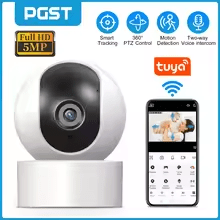
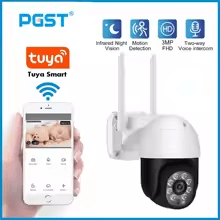
It pairs wireless accessories: remote controls, detectors, RFID tags, an external wireless siren and alarm smart plugs. Cameras do not pair with the panel.
Does the PG106 panel support mobile app notifications?
Yes. Once connected to Wi-Fi (Airlink), the panel sends its alerts to the app, which also lets you arm, disarm, configure the panel and control the smart plugs remotely.
Does the PG106 work during an internet outage?
Yes for alert calls and SMS, which go through the GSM network of the SIM card, independently of the internet router. The app, however, requires a Wi-Fi connection.
More from the PGST range
See also: PGST PG103 alarm panel · PGST PG107 alarm panel · PGST infrared sensor · PGST door sensor
Does the PG106 support zone partitioning?
No, the PG106 does not handle separately armable sub-systems. It does, however, offer part arming: only “part arm” detectors (doors, windows, perimeter) stay active when you are at home.
PGST PG106 panel: everyday versatility
The PG106 panel is the mid-range model in the PGST range. It suits medium to large houses and flats that want a touchscreen, part arming and control by SMS or app. It communicates wirelessly with its accessories, without wiring.
Part arming keeps the alarm active at night on doors and windows, without triggering when occupants move around inside.