

PGST
Alarm · Camera · Sensor · Siren
ALARM SYSTEMS
CAMERAS
SENSORS & ACCESSORIES

SIRENS

By Thomas Rivière, Product Analyst — Last updated: 7 November 2026
The PGST PG108 alarm panel is the top-of-the-range model in the PGST series: maximum capacity, complete features and smart management for uncompromising security.
PGST PG108: PGST’s top-of-the-range panel
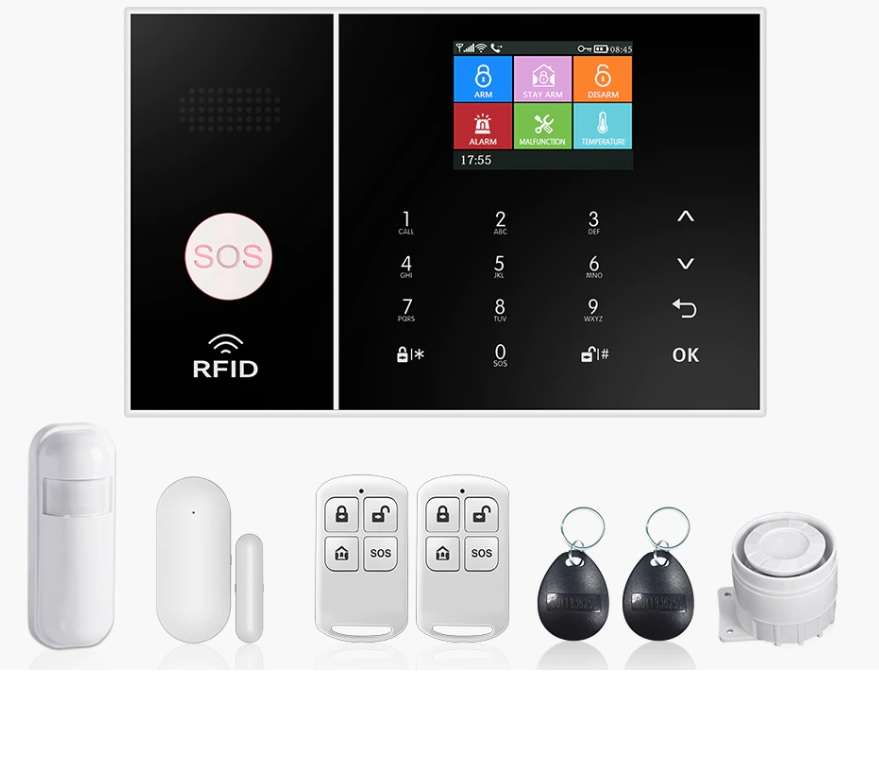
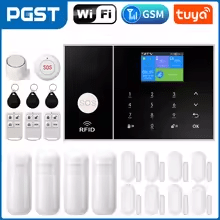
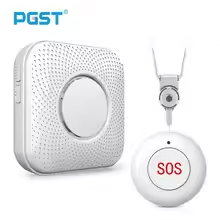
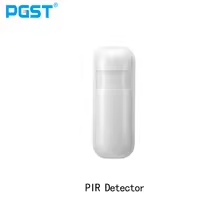
The PGST PG108 panel represents the top of the PGST range. It accepts up to 200 remote controls or sensors and 10 RFID tags, and controls the range’s wireless accessories: door sensors, infrared detectors, siren, remote controls and SOS button.
Its screen, keypad and the Smart Life app allow the system to be set up precisely. The PG108 is suitable for large houses and small business premises.
PGST PG108: advanced security features
The PG108 panel combines full arm, home arm, adjustable delays (0 to 999 seconds), 3 wired zones, up to 5 alert numbers and alerts by SMS, call and app notification.
Its 1,000 mAh backup battery takes over during a mains power cut, and the panel alerts the user if the main power supply is interrupted.
PGST PG108: professional-grade installation made accessible
Despite its advanced features, the PG108 panel can still be installed by a homeowner. Accessories are paired wirelessly, without wiring, from the panel or the Smart Life app.
5 key points about the PGST PG108 alarm panel
- Maximum capacity: up to 200 remote controls or sensors and 10 RFID tags.
- Family sharing: one Smart Life account per panel, which can be shared with household members.
- Advanced alerts: call, SMS, push — several channels at once.
- 1,000 mAh backup battery: protection continues during a mains power cut.
- Wireless accessories: PGST sensors, siren, remote controls, RFID tags and SOS button.
PGST PG108 manual in English: the essentials
Here are the basic settings of the PG108 panel, in the order of setup.
- Getting started: insert the SIM card (2G or 4G depending on the panel version), plug in the USB-C power supply, then flip the battery switch on the back to ON.
- Smart Life app: the panel only works on 2.4 GHz Wi-Fi. Turn on Wi-Fi and Bluetooth on your phone. On the panel: Main menu → WiFi settings → One-click configuration, then the ✓ button. In Smart Life: “+” → Add device → Add, then enter the Wi-Fi password.
- Accessories: in the app, Accessories → Remote control (or Sensors) → “+”, then trigger the accessory. Each accessory’s name can be changed in the app.
- Alert numbers: up to 5 numbers. When an alarm goes off, the panel first sends the SMS, then calls the numbers in order; a number that does not answer is called back three times before moving on to the next.
- Sharing: a panel links to a single Smart Life account, which you can share with family members.
Default codes: administrator password 6666, user password 1234. Default arming delay: 40 seconds (adjustable from 0 to 999 seconds).
SMS commands to send to the SIM card’s number: 1234#1 arms, 1234#2 disarms. The SMS *6666*43* restores factory settings while keeping paired accessories; a full initialisation is done in System settings → Initialisation.
FAQ — PGST PG108 alarm panel
Where can I find the PGST PG108 manual in English?
The essential steps are summarised above on this page: getting started, connecting to Smart Life on 2.4 GHz Wi-Fi, pairing accessories and alert numbers. Default codes: 6666 (administrator) and 1234 (user).
Is the PGST PG108 suitable for professional use?
Yes. With its large zone capacity and advanced features, the PG108 panel is suitable for both large homes and small business or retail premises.
Can accessories be added after the initial PG108 installation?
Yes. The PG108 panel lets you add PGST accessories at any time, up to its maximum zone capacity. A new accessory is paired simply from the configuration menu.
Does the PG108 panel send alerts even without internet?
Yes: alert calls and SMS go through the mobile network of the SIM card (2G or 4G depending on the version), independently of the internet. The Smart Life app, however, requires Wi-Fi for remote management.
Is the PG108 compatible with PGST solar cameras and outdoor sirens?
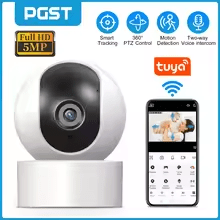
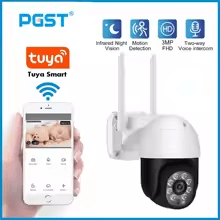
The PG108 pairs wireless accessories using 1527 or 2262 encoding: sensors, siren, remote controls and RFID tags. Cameras, which use Wi-Fi, do not pair with the panel.
More from the PGST range
See also: PGST PG107 alarm panel · PGST indoor camera · PGST outdoor night camera · PGST outdoor siren
How many zones can the PG108 manage?
The PG108 panel accepts up to 200 wireless remote controls or sensors and 10 RFID tags, plus 3 wired zones on the back. For a detached house, this capacity leaves plenty of headroom.
Can the PG108 be managed by several users with different permissions?
The panel has an administrator password (6666 by default) for settings and a user password (1234 by default) for everyday use. On the app side, a panel links to a single Smart Life account, which you can share with family members. RFID tags and remote controls let everyone arm and disarm without a code.
PGST PG108 panel: top of the range for maximum protection
The PG108 panel is the most complete model in the PGST range. With up to 200 remote controls or sensors and 10 RFID tags, it covers large homes, offices and shops.
It can be controlled on site (screen, keypad, RFID tag, remote control), by SMS or from the Smart Life app, over 2.4 GHz Wi-Fi and 2G or 4G depending on the version.