

PGST
Alarm · Camera · Sensor · Siren
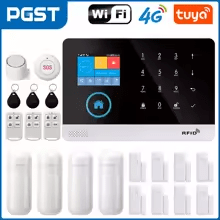
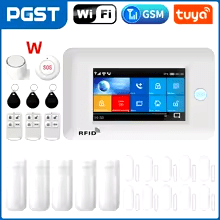
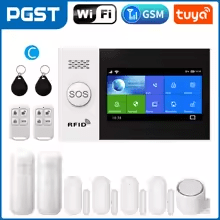
ALARM SYSTEMS
CAMERAS

SENSORS & ACCESSORIES


SIRENS

By Thomas Rivière, Product Analyst — Last updated: 30 September 2026
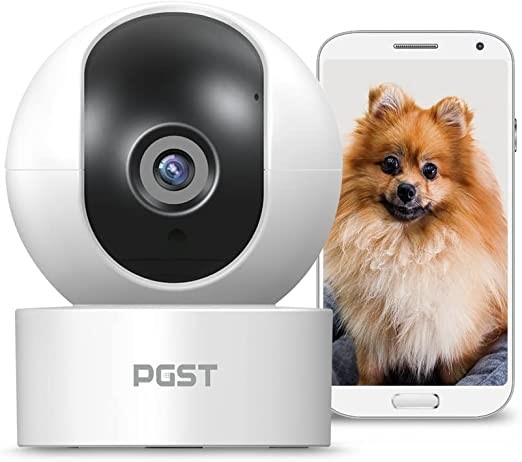
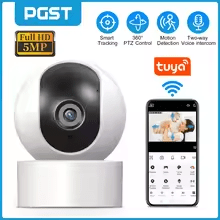
The PGST indoor camera provides continuous real-time surveillance of your home interior, accessible from your smartphone and integrated with your PGST alarm system.
PGST indoor camera: real-time surveillance
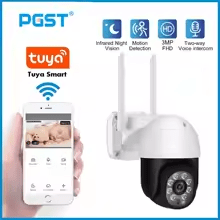
The PGST indoor camera connects to your home Wi-Fi and streams live video to your smartphone via the PGST app. Built-in motion detection sends an instant push notification when activity is detected in the camera’s field of view. Infrared night vision activates automatically for round-the-clock monitoring.
PGST indoor camera: placement and installation
Install the camera in a corner of the room at height to maximise coverage. Best positions include the living room, hallway, kitchen, or any frequently accessed area. Avoid pointing the lens directly at a sun-exposed window to prevent image overexposure. No complex wiring is required — just a power source and Wi-Fi connection.
5 key takeaways about the PGST indoor camera
- Live remote viewing: access video from anywhere via the PGST app on your smartphone.
- Motion detection alerts: instant push notification when movement is detected.
- Night vision: infrared module for clear images even in complete darkness.
- Easy Wi-Fi setup: no complex wiring, quick configuration through the app.
- PGST alarm integration: works alongside your alarm panel for unified security management.
FAQ — PGST indoor camera
Can the PGST indoor camera work without an alarm panel?
Yes. The camera can operate independently via Wi-Fi. Pairing with a PGST alarm panel allows you to centralise alerts and automate responses (siren, phone notification).
Where are recordings stored?
Storage options depend on the model — some support a local microSD card, others offer cloud storage. Check your model’s specifications for available options.
Can I view the camera feed from abroad?
Yes. Via the PGST app and an internet connection on your smartphone, you can access the live feed from anywhere in the world, as long as the camera is connected to your home Wi-Fi.
Does the PGST indoor camera detect movement at night?
Yes. The infrared night vision module enables motion detection and clear image capture even in complete darkness.
Also in the PGST range
See also: PGST indoor night camera · PGST PG103 alarm panel · PGST infrared sensor
PGST Indoor Camera: Wi-Fi Setup and Remote Monitoring
The PGST indoor camera connects directly to your home Wi-Fi network and streams live footage to the PGST app on your smartphone, accessible from anywhere with an internet connection. Installation requires no network cabling: simply enter your Wi-Fi credentials during the initial setup in the app. The camera can be repositioned freely without any technical intervention, making it easy to adapt to changing room layouts or security priorities.
Mounted in a corner at ceiling height — entrance hall, living room or corridor — it covers the main traffic area and captures motion alerts the moment activity is detected. Push notifications reach your phone within seconds, accompanied by a snapshot or video clip depending on configuration. When paired with a PGST alarm panel, the camera can also trigger the siren automatically when an alert is raised.
Frequently Asked Questions — PGST Indoor Camera
Which Wi-Fi standard is compatible with the PGST camera?
The PGST indoor camera is compatible with 2.4 GHz Wi-Fi networks only. 5 GHz networks are not supported. During setup, make sure you connect to the 2.4 GHz band of your router if it broadcasts both bands separately. If your router uses a single network name (SSID) for both bands, the camera will automatically connect to the compatible 2.4 GHz band. Effective Wi-Fi range depends on the number and density of walls and obstacles between the camera and your router.
The camera only supports 2.4 GHz Wi-Fi, not 5 GHz — on a router broadcasting both bands under separate names, this is worth checking before setup rather than after a failed connection attempt.